
Vector Table Planner
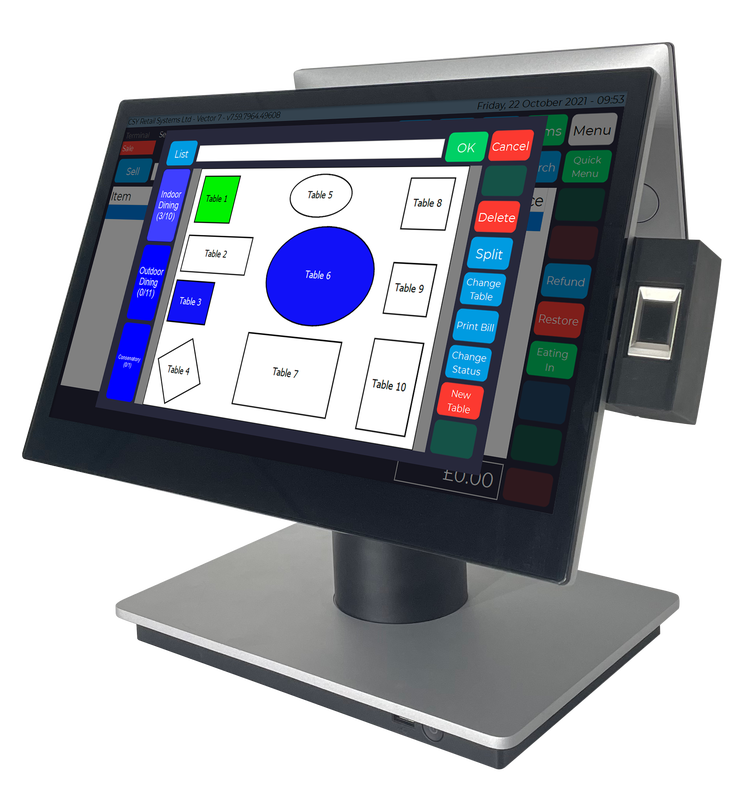
CSY’s Vector table planner allows Hospitality businesses to design their own table layout within Vector Manager Back Office. Here you can add new rooms and tables at ease which will then appear inside Vector Hospitality on the Epos.
By using our colour changing system, businesses can manage the status of each table to show as Seated, Waiting or Served. This allows staff to have a visual view of each Table’s status directly from the Epos or Handheld ordering device. A timer showing how long the customer has been at each status is also visible.
Seated - To show staff which tables are available for new customers.
Waiting - To show staff when the order has been taken and the customer is waiting to be served.
Served - To show staff which tables have been served and what are tables are yet to be served.
Additional features of the Vector Table Planner include:
- Ability to pay at point of order or “Save Tab” functionality for payment at the conclusion of the customers meal.
- Ability to “Split Bill” so that customers can pay for individual meal items or by split the bill by the volume of covers.
- Ability to move customers to another table.
- Ability to add individual notes to orders.
At Table Ordering
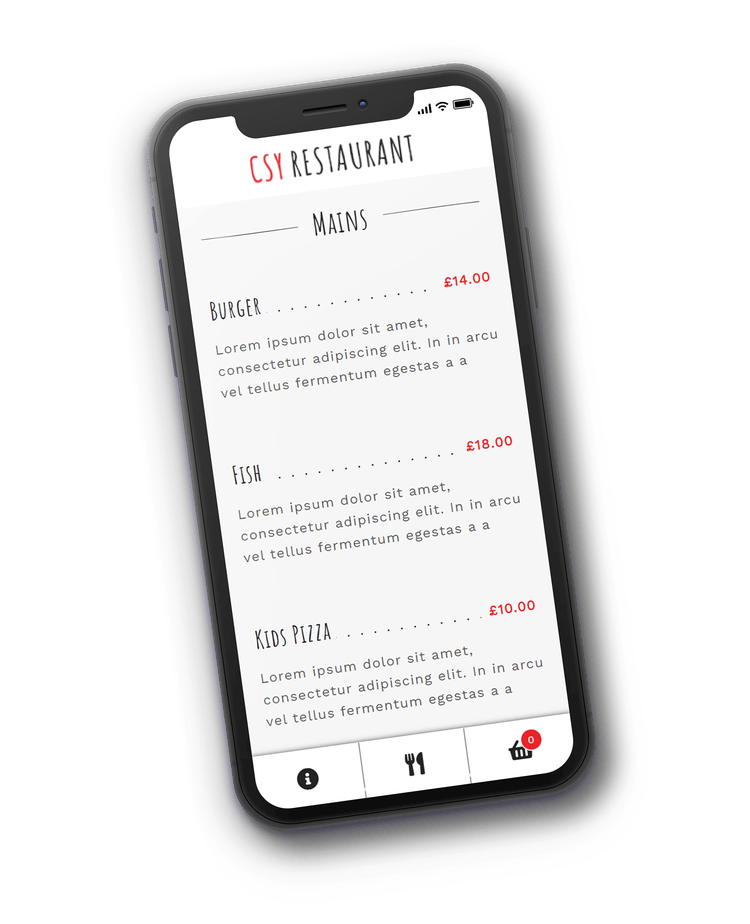
With the challenge all Hospitality businesses have faced during the Coronavirus Pandemic, the ability for customers to place orders at a table or from home for a later collection using their Smartphones has been key in ensuring businesses can remain operational.
Using CSY’s “At Table Ordering” solution allows you to do just that.
On arrival at your venue, customers scan a QR code at their table of choice which will open the ordering platform. The customers then select their menu options and pay for their order on the smartphone.
This seamlessly links with your EPOS on site and with all connected peripherals such as Kitchen Printers.
Customers can also use the same platform to order at home for collection on-site at a designated time.
Kitchen Screen
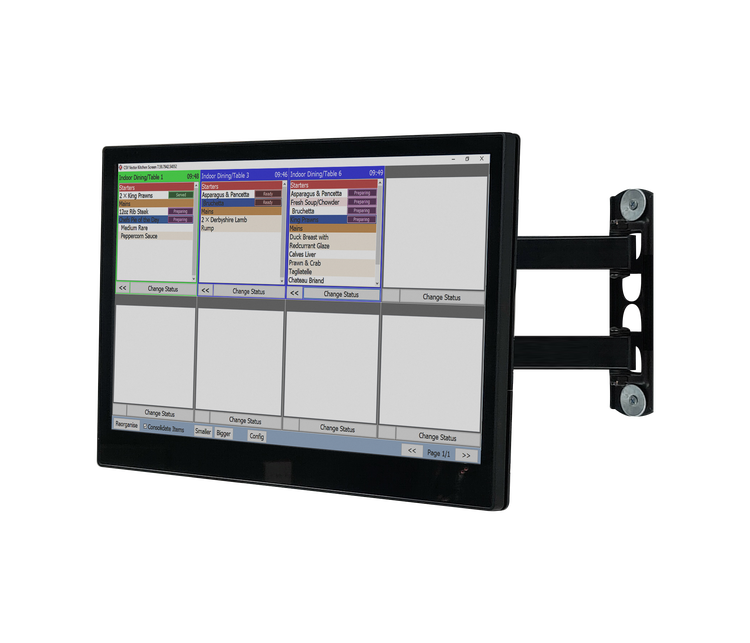
Our clients use the inbuilt table planner in Vector to send orders directly to the kitchen screen, so that the chefs can start to prepare the food as soon as the order has been made. This can either be done using tablets for table service or using the main POS (i.e., for takeaway orders)
The kitchen screen looks for new orders every 10 seconds so is constantly refreshing. The kitchen staff have various status levels that they can set for each food item as to its stage in the preparation process, preparing, ready, served, etc.
Once set to served (green) the order will disappear from the kitchen screen and the table planner will change to green for that table. To add more items for the table, e.g. desserts, staff will click the table number to open it again, add the desserts and save the tab. The desserts would then be displayed on the kitchen screen.